Videos should be streamed and not held (part 2)
I couldn’t resist the temptation to try to take my Windows DVD Maker output (a video DVD with a custom menus) and turn it into a streaming Silverlight site. I figure this would be of interest to anyone who wants to share their home videos on the internet and include a custom DVD-esque presentation format.
Alas, I didn’t have time to create the “general solution” – but I think I’ve figured out what the general solution would look like.
The end result that I wanted was a custom Silverlight 2 application that integrates
- a video streamed behind an interactive menu, and
- a streaming player for the main ‘movies’, which would begin its life as an Expression Media Encoder player template
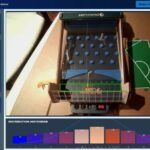
So the main menu looks like this:
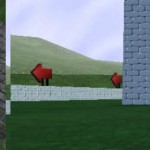
And when you’re watching the video, you can move the mouse to pop up a UI like this:
When the video comes to a complete stop, it returns to the custom menu (top image above) with the streaming video background.
It was fun. It took some time. Here’s what I learned.
- Video Player template: If you decide you’re going to create a UI for streaming Silverlight video, and want any interactive controls above and beyond a pause button – even just a playback slider – I strongly encourage you to start from a template, such as the ones found in Expression Media Encoder. See this Expression Encoder blog post about the templates. This will save you a lot of time, and the templates themselves are quite nice.
- Re-encoding the DVD files: The files on a DVD with a .VOB extension can be opened and re-encoded by Expression Media Encoder. This is important because the .VOB that contains your menu background also contains more than just the cycling “main menu” video, so you’ll need to trim it. It also contains video clips for the “About” and “Select Scene” menus. I wish I understood this video format better.
- Menu text and custom fonts: The menu text in the .VOB looks crummy when it’s been encoded and re-encoded and then scaled up. So, re-export the DVD from Windows DVD Maker without any menu text, and then overlay the text in Silverlight. Embed a custom font if necessary – Expression Blend 2 makes font embedding possible and not very difficult.
Upload videos and app to Silverlight Streaming, and you’re ready to scale your home videos up to the scale of the intarwebs!
Unfortunately, I do not have permission to host the “24 Minutes” video on this site, even though that would have been very easy to do. When I have a chance, I’ll host a similar project so I can show what the finished results look like in motion.
From Windows DVD Maker to Silverlight Streaming site?
The Windows DVD Maker found in Vista is a clever little application. It makes DVD movies with slick title menus. You add your pre-edited video files (and/or photos), choose a look-and-feel for the menus, and click ‘Burn DVD’.
It’s a perfect example of a “95% solution”. The DVD Maker deliberately doesn’t account for roughly the other 5% of options you might consider when producing a video DVD, because frankly, providing for those options would make the app unnecessarily complicated… and probably wouldn’t make a real difference to the final quality of your home video.
I was asked to edit together a Christmas Party video for some friends (a “24″ spoof called “24 Minutes”), and decided that DVD Maker would be a great way to deliver the final product (which was going to be viewed offline). I was really happy with the results.
So now I have this video DVD…
Dude… that’s so 1990s! Videos are meant to be streamed, not held!
Wouldn’t it be cool if there was a little app that could take a video DVD, and with a few clicks, turn it into a Silverlight Streaming site, complete with streaming video and a Silverlight-based replica of the DVD’s menus?
I wish I had a little utility that would take my DVD, my Silverlight Streaming ID and password. It would crank away for a bit, do some re-encoding, and deliver me an “online DVD” all uploaded to Silverlight Streaming.
Sure, I’ve already re-encoded the movie myself with Expression Encoder and uploaded it to Silverlight Streaming. But the menus that DVD Maker automatically produced for me, with video highlights playing behind the menu options, are kinda funky, and tie the whole thing together.
Someone should make that utility… or if it exists, please send me a link. :)
Continue ReadingNikon’s Raw (NEF) Vista Codec Updated

Nikon has released an updated version of their Raw (NEF) Codec for Vista that resolves an issue that caused it to suddenly stop working last week. Apparently the problem had something to do with an expired certificate.
The new codec is still labeled version 1.01. However, if you uninstall the old 1.00 or 1.01 codec, and install this new one, you’ll be back in business.
I mentioned back in January that I have stopped shooting JPG images, in favour of only shooting RAW (NEF) images. I am still using the following photography pipeline:
- View, sort, and triage NEF images: from Vista’s File Explorer and Windows Photo Gallery.
- Load into Nikon Capture NX: for post-processing. This program has earned my respect with its ability to store my edit history in the RAW file, and also one ingenious feature (yes, I think ingenious is exactly the word for it) called Color Control Points. However, I have nothing positive to say about Capture NX’s user interface: it desperately needs keyboard shortcuts, and lacks basic navigational functionality like mouse-wheel zoom. I found a great resource for Nikon Capture NX tips and tricks here at Nikonians.org.
- Batch export to JPG: using Nikon Capture NX’s batch processing
- Upload: to Flickr.
There are two challenges with this pipeline:
- First, the Vista codec still isn’t particularly quick, even on a relatively beefy laptop (Vista Overall Experience Index: 3.0; Processor: 4.6, Memory: 4.7, Graphics: 3.6). You can flip through photos quickly enough, but if you want to delete a photo, Vista spins its wheels while the codec renders the high-res image. To work around this, I use the keyboard shortcuts (1, 2, 3, 4, 5) to quickly “rate” all my photos, and then delete all the bad ones in one go.
- Second, although you can associate metadata (“tags”) with NEFs in Photo Gallery, using the above-mentioned codec, the tags don’t show up anywhere I can find them in Capture NX. Therefore I am not tagging my images on Vista (defeating a lot of its organizational potential) and instead am just tagging the JPGs on Flickr, which, by that point, have become disassociated from the original NEF images. Some day, if I want to sync them, it may be an intractable task (or at least an image processing challenge).
So my Vista-Flickr NEF pipeline experience is good but not great. I am still going to keep shooting RAW (NEF) only, as I am learning how to make subtle and powerful changes to my photos using Capture NX, which I find very valuable. After all, if it’s worth shooting, it’s worth trying to shoot it right!
[February 2009 Update]
I posted some updated thoughts on NEF Codecs for Vista and Windows 7 for 32- and 64-bit installations. Thank you for all the thoughts and discussion here and I hope this continues to be helpful.
Continue Reading