Designers with Expression Blend skills are in demand

Capilano Suspension: Bridging worlds, simple elegance
I spoke with a headhunter last week who is looking for designers who have experience using Expression Blend to enhance the usability of line-of-business applications.
The demand for designers who have worked on Silverlight or WPF projects currently exceeds supply.
The adoption of those two “XAML-based” technologies has been accompanied by a growing community of developers that have adopted the new frameworks, often “wearing the designer hat” to get the job done.
But a designer who understands how to craft solid XAML markup using Blend’s visual toolset thinks differently from either a developer, or from a designer whose thinking is not informed by the basics of Silverlight and WPF.
Designers needn’t give up their existing tools, but to optimally contribute to a Silverlight or WPF project, their thought process should be informed by these technology frameworks, both when working with their existing tools and with Blend.
Yes, we’ve all heard of these highly coveted “dev-igners,” who bridge the dev and design worlds with the simple elegance of the Capilano Suspension Bridge, but these are unicorn-esque in rarity.
So the good news is – if you’re a designer who does know Expression Blend, I know people who are looking for your skills!
[p.s. shameless plug - Empowering designers to wield Blend like a paintbrush (in ways that I can't) has become one of the greatest joys of my work. If you're a designer (or know a designer) interested in mastering Blend, and learning the basics of Silverlight/WPF in the process, send me mail through the blog. Maybe you'd be interested in a crash course.]
Videos should be streamed and not held (part 2)
I couldn’t resist the temptation to try to take my Windows DVD Maker output (a video DVD with a custom menus) and turn it into a streaming Silverlight site. I figure this would be of interest to anyone who wants to share their home videos on the internet and include a custom DVD-esque presentation format.
Alas, I didn’t have time to create the “general solution” – but I think I’ve figured out what the general solution would look like.
The end result that I wanted was a custom Silverlight 2 application that integrates
- a video streamed behind an interactive menu, and
- a streaming player for the main ‘movies’, which would begin its life as an Expression Media Encoder player template
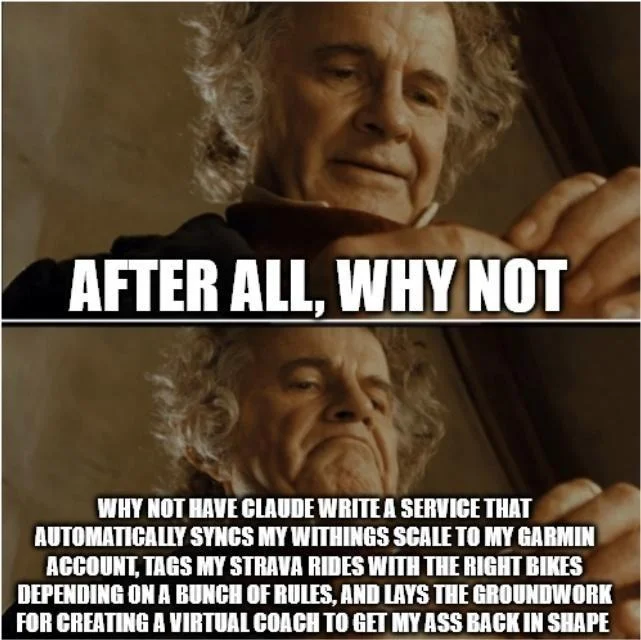
So the main menu looks like this:
And when you’re watching the video, you can move the mouse to pop up a UI like this:
When the video comes to a complete stop, it returns to the custom menu (top image above) with the streaming video background.
It was fun. It took some time. Here’s what I learned.
- Video Player template: If you decide you’re going to create a UI for streaming Silverlight video, and want any interactive controls above and beyond a pause button – even just a playback slider – I strongly encourage you to start from a template, such as the ones found in Expression Media Encoder. See this Expression Encoder blog post about the templates. This will save you a lot of time, and the templates themselves are quite nice.
- Re-encoding the DVD files: The files on a DVD with a .VOB extension can be opened and re-encoded by Expression Media Encoder. This is important because the .VOB that contains your menu background also contains more than just the cycling “main menu” video, so you’ll need to trim it. It also contains video clips for the “About” and “Select Scene” menus. I wish I understood this video format better.
- Menu text and custom fonts: The menu text in the .VOB looks crummy when it’s been encoded and re-encoded and then scaled up. So, re-export the DVD from Windows DVD Maker without any menu text, and then overlay the text in Silverlight. Embed a custom font if necessary – Expression Blend 2 makes font embedding possible and not very difficult.
Upload videos and app to Silverlight Streaming, and you’re ready to scale your home videos up to the scale of the intarwebs!
Unfortunately, I do not have permission to host the “24 Minutes” video on this site, even though that would have been very easy to do. When I have a chance, I’ll host a similar project so I can show what the finished results look like in motion.
Make your own WPF Custom BitmapEffects
Custom WPF Bitmap Effects, authored in a Managed C++ assembly, complete with sample project to help you roll your own. It works, complete with live preview, in Expression Blend. Done by a guy called Rob who has a blog called Run To The Hills. ‘Nuff said.
p.s. My suggestion to Rob: turn this into a Visual Studio Project Starter Kit. The process is relatively painless and this would be very useful as a Starter Kit!
Update 15 Apr: Although this is a truly valiant attempt, I think at this point you need to heed the caveat Rob adds in his blog: “Although bitmap effects are very costly in terms of rendering in WPF since they force the whole stack to render your control hierarchy in software – the effects aren’t really all that slow and although the advice to avoid bitmap effects if possible still stands, I find judicious use of them acceptable, especially if used on something that is static.”
Continue Reading“Mate, this is the Future”
I’m currently consulting independently for an incredibly cool team of developers and designers. The process has been a joy, both for me and for my clients. In part, it has shown me that Expression Blend (2.5) has matured to the point where it delivers on the promise of dramatically improving the developer-designer workflow.
I had the good fortune of working with my clients’ lead designer about 5 years ago, on a Managed DirectX project that proceeded very much like “tweak, compile, run.” The current WPF project is, instead, very much “nudge, nudge, nudge.”
Their lead designer, upon seeing his artwork and user interface come alive in Blend, reflected back on the not-quite-as-good old days and said: “Mate, this is ‘the future’.”
How we collaborate
Even though he doesn’t always work with the main branch when adding new content, he routinely authors XAML content (including Storyboards) in side projects. We developers then just grab and paste it into the application. And then the designer “nudges” the content some more.
This “side Project” technique helps us transfer from designer to developer the burden of enforcing a coding guideline like the Stovell Conventions, and lets designers focus instead on being creative with Blend. (Relevant aside: I really like Paul’s Guidelines, particularly regarding Resource organization).
It’s gone so well that next week I’m introducing the lads to the nerd+art snippets so they can increase their superpowers. (The first time their lead designer wrote a C# event handler himself, he took a screen shot of the C# code and sent it to the rest of the developers just to show off) :)
I have all the Artistic Ability of a Slug
I mentioned that this experience has also been a joy for me as a developer. I feel like I’ve put a creative framework into the hands of someone who can make it work wonders. And it cost me a lot less ($0) than it would have cost me to buy my musical little sister a Baby Grand…
Continue Reading